Tuesday, February 01, 2022

Games of January 2022


Recently, I've been too worried about finishing games and trying to focus on what I play. I'm trying now to play as much and as broadly as I can. I've played 14 games in January and I feel really good about it. Honestly, this month has felt like one of the months I've been happiest and excited about the games I play. It's been great to pick up whatever game feels like it best fits the moment. I've found a new space in my heart for Mario Golf, space for Puyo Puyo Tetris 2 and a bunch of other games too.

I wanted to talk a bit Super Mario Party, even though it isn't in my top five below. My partner and I played a game one Saturday night and we really enjoyed ourselves. I originally picked up Super Mario Party to defend against the threat of niblings who might wonder why Uncle TJ has so many video games that they can't play, and then it's basically sat on the shelf ever since. We often end up playing single player games beside each other and I thought it might be fun to actually do something together. Super Mario Party filled that gap for us pretty well (and really it's the first video game we've played together since we gave up on Animal Crossing: Amiibo Festival). I see why people have enjoyed Mario Party All Stars more, I'm really glad we played.

I played a little bit of Legend of Mana on the Switch, which I'm still not sure how I feel about exactly. I'll play more, but I'm reminded of how disappointed I was when I first played this. It has a very "unstory" story and the combat feels very odd - although now having played the intermediary step of Trials of Mana it makes more sense. It looks beautiful, but I'm a little unsure about the decision to upres the backgrounds, but leave the character sprites original.


Another game I wanted to talk about was Actraiser: Renaissance. I didn't get in to the original Actraiser on SNES - despite loving Quintet's other games - because as far as I could see it wasn't a great city builder and I didn't like the idea of the platforming parts. Unfortunately, Renaissance seems to also not be a good city builder and I thought the platforming was awful. I picked it up because I watched ProtonJon play a chunk of it, since he thought it had too much city building in it, it might appeal. It didn't. Also, unlike Puyo Puyo Tetris 2 - which we'll discuss momentarily, this game makes incredibly loquacious NPCs an absolute frustration and nightmare. 

Or perhaps I mean, "Oh, dearest, most venerable Lord, the people of this land which you so lovingly watch over, love you and and are so pleased to venerate you at this alter which you placed in a most advantageous position in our settlement and while so venerating, beg your assistance, oh Lord, to dispatch the vile monsters which do so plague our settlement, which you so lovingly..." *cough, cough, cough* I'm sorry, I don't know what came over me there. I'm glad I picked this up in the hopes that it brings Illusion of Gaia and the Turbo trilogy to light, but I can't say it's "good".


My top five games (by play time) for January were:
  1. Hollow Knight - Dan Floyd from Playframe, loves this game and came to love this game over the course of his Let's Play. I'd been thinking I should at least try it out and honestly it's been a great part of my new play to play more games. It's been a bit of a struggle, but I went back and restarted after hitting a bit of a wall and I'm really impressed with how much better I am than when I first started. This is an outstanding Metroidvania and I am really enjoying it.


  2. Legend of Zelda: Skyward Sword HD - So, Skyward Sword was the very first game I really wrote about on the this blog. I was feeling silly having bought it again for the switch, since my Wii U is *right there*, but honestly I'm glad I picked it up again. It's a lot of fun and it's pretty and relaxing. (Hollow knight has been pretty in its own way, but in no way has it been relaxing.) I've always liked Skyward Sword - in fact it was my favourite Zelda when it came out - and honestly the HD remake has felt great. It has a few flaws, and the motion controls are not ... seamless, but it's a good time.


  3. Puyo Puyo Tetris 2 - I'm pretty good at Tetris. I'm terrible at Puyo Puyo. I'm in love with this game. The original idea seemed a little dumb to me and I'd been avoiding this and the original Puyo Puyo Tetris since I don't really engage with multiplayer games that much. That was dumb and I am so happy I bought this game. There's way more than enough single player content for me here and the game actually does a reasonable job of teaching you, if for some reason you're only good at one of Tetris or Puyo Puyo.


    But the game play isn't what I'm here to talk about. This game has a dumb story. It's a game with 3 - 5 minutes of cut scene dialog before and after each level. The characters talk *a lot*. I'm here for it. I don't know why, but between the writing team and the localization team I'm grinning from ear to ear between levels because it's all so profoundly dumb. Nothing makes sense, no one makes sense and I am damned well here for it.


  4. Mario Golf: Super Rush - I wasn't too happy with this game when I wrote up my end of the year thoughts. Pretty good, but lacking content and soul. I was wrong.


    I was wrong about the content anyway, they've introduced a lot of new courses and a few new modes and honestly there's a lot to really enjoy about this game. They also fixed their online mode so that it's not misserable to play - although the netcode is still a little bit janky. I've really enjoyed Mario Golf this month and it's been the perfect thing to pick up for 20 minutes. It's *still* a little short on soul, but honestly I don't mind any more.


  5. Eastward - I've played about four and a half hours of Easward. I *feel* like I've played 20. I don't really know how to describe Eastward. It's an action RPG set in the post apocalypse (I think). It's an homage to 90s games and a pastiche of Earthbound. It's very upbeat while leaving my heart clenched that terrible things are going to happen. It's beautiful pixel art of an ugly world. I'm excited to keep playing and I'm really glad my current outlook on games makes it easier to digest each bit as I play.


Here's my total play time chart for January:


And here's a chart of how much I've played over the month:


Tuesday, January 18, 2022

Project 21 - Code Doodle - Introduction

 As I've mentioned in my last few updates I'm starting to get a little bit more done on some of my *other* projects. Despite my best efforts though, some of those projects are big, and hard to finish and they need me to learn things, even when I think I've kept them small. 


The solution to that is *clearly* to start doing something else as well. Because spreading myself thinly has really been a key to my success. 


Oh.


Right.


No, it's definitely the other thing where I'm not great at finishing things and it's easier to play with the new shiny thing than it is to get shit done.


That being said, I am starting a new project and I have a bunch of ideas whey I think it's a good idea.


Ok Fine. I'll bite, what are you doing?

I'm writing a bunch of tiny programs. They may help me do other jobs or they may just be things that seem cool to play with. Basically, I want them to be simple, easily completed, code doodles.

A cartoonish drawing of the word Code surrounded my some doodles of squares, lines and toast.


You Mentioned You Had Ideas as to Why This Wasn't a Bad Idea

Aha. Actually I said I have ideas as to why this is a *good* idea. Take that, Scalziesque interlocutor!

Still.

The biggest reason I want to write tiny programs is that I want to write tiny programs. I don't write that many programs and programming is fun.Sometimes your brain is a little bit on automatic and you want to engage it just enough to to have done something. It's knitting basically. Programming, fun times.

The second reason is that I'm working on *another* project, related to teaching people to code and I think one of the things we do very poorly when programming is teaching new programmers to read other peoples' programs. I've never had time when I'm teaching to get beyond the bare basics of what I need written for the students to work with, and so this seems like a great time to just build up a repository of interesting programs so that people can *look* at them at some point. In fact, at some point, I hope to have other people contribute interesting tiny programs too. (I don't know what that point is, so if you're interested in publicly sharing the code for a tiny program, drop me a line.)

The third reason is that there's a ton of things I still need to learn. Also there's a not insignificant list of things I've forgotten to a greater or lesser extent. And much as I hope Game Tracker will be great for teaching me, it's *already* too big and complicated for what I'd hoped to do for a lot of things and I need some places to play before I build those things.

The fourth reason is just to give myself practice finishing things. I'm bad at it. I've been bad at it for most of my life and so keeping the programs tiny seems like a good way to finish them.

The fifth (and for now final) reason is that it's a fun way to run into more interesting things I haven't had a chance to think about before. For example, how similar *are* the sets of {1, 2, 3, 4} and {3, 4, 5, 6}. So the fifth reason really ties the other together a bunch of the others in a way that should hopefully keep my brain moving.

So What Are You Doing?

I've made a GitHub repository and I'm uploading stuff there. No guarantees any of it's good or interesting (and if I've solved any of your intro to programming assignments by accident, (Sorry!) I'm not doing it on purpose. - Hit me up and we'll chat assessments in programming.) Feel free to keep an eye on it if that's the kind of thing that interests you.

So far I have 2 programs in the repo.
  • List Difference - takes a look at two lists and lets you see how similar they are. It's intended to help statistically mock sports casters. This one's pretty finished.
  • Food-o-rac-o-cycle - named for the food machine on the Jetsons (I think). This will tell me what to make for breakfast. This one's off to a good start.
I'm also planning to add a couple of other programs that I'm working on to help with the Chrono Sprites. I started them separately, but they fit the model for Code Doodling, so I'm going to drop them in too.

I'll update from time to time, but if you're interested in what I'm up to looking at the repository is probably the best place to see the latest.


Tuesday, January 11, 2022

Blog: What I learned, forgot and learned again about Java Preferences

I'm not an expert in Java, but I have been using and teaching it for a really long time. One thing I've always struggled with is the right way to manage settings and preferences, especially stacking different levels of settings (defaults, setup time and run time). The various systems I worked on in grad school were massively over complicated (to the extent where I think in my masters’ system, configuration was probably a third of the whole system).

For the Game Tracker I set out to keep things really simple, and ideally to do things "the right way". Given that I don't actually work in software development with anyone other than myself, figuring out "the right way" can be a bit of a struggle sometimes. Still I'm trying to start modelling my own technology learning after Julia Even's approach and learn and focus on what I have learned.

For handling settings, I've used Java's Properties quite a bit (they made up a big portion of my PhD system, which was *much* more streamlined than my masters). Having an API to handle getting simple values in and out of a file is really useful. Preferences are an extra layer on top of that, where you hand over keeping track of the storage to the JVM.

While I'm still a little grouchy about Preferences not being transparent to the user or the programmer. They do feel like "the right way" to keep track of settings. I was especially confused when I cam back to the Game Tracker after a long break and so had to relearn a lot about Preferences. Hopefully this will be a good overview and collection of the good resources I found.


Overview

As I mentioned, preferences let you hand off worrying about where your information gets stored. All you have to do is tell Java that you would like this class’s preferences and then either read or store a value. When you end your program, Java will store everything and the next time you run your program your preferences will be there.

You can recompile or even completely delete and replace your program and your preferences will still be there. If you’ve ever deleted and then reinstalled a program and been surprised that it remembered everything from before, that’s preferences in action. (And that bit where stuff just gets magically remembered is why I’m sometimes uncomfortable with the idea of preferences, sometimes you just want a program to go away, but we’ll talk about that later.)

When we’re talking about preferences, we’re talking about the small pieces of information you need to make your program run. For example, with the game tracker the list of games is too big to go in preferences, but keeping the file name where I'm keeping the list of games makes sense. There’s not a strict limit, but keeping too much data in your preferences isn’t a great idea. Additionally, everything is handled as a string by Java so you want to avoid storing anything complex, like an object, and should keep in mind that you’ll have to handle moving numeric data back and forth.


Using Java Preferences

You access Java preferences through a java.util.prefs.Preferences object. We’ll talk about how you *get* a Preferences object shortly, but once you have an object you can treat it as a dictionary. You have a put(String key, String value) method where you can store a value under a key and a get(String key) method which gives you the last value you stored under key.

If you have other types of data, you have to handle them separately. The good news is that you don’t have to do any parsing, there are putBoolean(), putDouble(), putInt() methods and getBoolean(), getDouble(), getInt() methods (and actually there’s a pair of methods for every primitive Java type).

You get a Preferences object by asking the Preferences system for it. Similar to the way you ask System for System.out, there are static methods on the Preferences class for getting your Preferences object. Unlike System.out where there’s only one object to get back, there’s actually many possible objects.

Each package in your program gets its own preferences, so when you ask Preferences for your object, you need to give it your class so it knows which package’s preferences to give back. The static method Preferences.systemNodeForPackage(Class theClass), takes a class object and so you can statically give it a class like CLI.class. *

That there are actually two kinds of preferences. System Preferences (which is what you get if you use the method above) and User Preferences. System preferences are shared by every user on a computer, but the user preferences are unique for each user. Generally user preferences are the right place to store things unless you have a strong reason why everyone needs to share. To get the user preferences, you’ll use the static method Preferences.userNodeForPackage().

From there you’re pretty good to go. The first time someone runs your program you can store their preferences and there after you can access and update them as necessary. I’m not sure it’s the “right way” but I think you should also offer your users a chance to see what’s stored in preferences and a way to remove them (the Preference class has methods to do both). I still need to implement this in the Game Tracker, but I think transparency is good to keep in mind.


My GameTracker Example

The last time I worked on the Game Tracker I reorganized a lot of the components. At this point ** I’m really only keeping two preferences for Game Tracker; the name of the persistence manager and the  file name of the file which has the game and play session data.

The persistence manager is managed in the CLI class. As the CLI class is starting it figures out which PersistenceManager it needs and then calls a factory to return an instance of that manager.  For every preference, I keep a constant string in the class to keep the key value, and I’ll often also keep a default value as well.

When the CLI starts, it processes the command line arguments (a story for another day) and checks if the option for the persistence manager has been set. If the value has been set, the CLI saves the value in the preferences. Then the CLI consults the preferences for the name of the persistence manager (with the default). This means that the value that’s loaded is either the new value that was just passed in, the preference that was set before or the default value if it’s never been set.


    private static final String PERSISTENCE_MANAGER_PREF = "gametracker.persistence_manager";
    private static final String PERSISTENCE_MANAGER_DEFAULT = "CSV";

if (cl.hasOption("datamanager")) {
  Preferences.userNodeForPackage(CLI.class).
    put(PERSISTENCE_MANAGER_PREF, cl.getOptionValue("datamanager"));
}

persistenceManager = PersistenceManagerFactory.getManager(
  Preferences.userNodeForPackage(CLI.class).get(
    PERSISTENCE_MANAGER_PREF, PERSISTENCE_MANAGER_DEFAULT), args);

Within the CSVPersistenceManager, the only preference kept is the data file name. Like the name of the persistence manager in the CLI, I keep the name of the preference and the default value as constants, although here the preference name actually sits in the super class FilePersistenceManager.


In FilePersistenceManager:
protected static final String DATA_FILE_PERF = "gametracker.datafile";

In CSVPersistenceManager:
private static final String DATA_FILE_DEFAULT = "gametracker.csv";

Persistence managers are passed the arguments off the command line, so as in the CLI, the super class checks the arguments if there’s a value for the datafile and that is taken and loaded into the preferences.

if (cl.hasOption("datafile")){
  Preferences.userNodeForPackage(
    FilePersistenceManager.class).put(
      DATA_FILE_PERF, cl.getOptionValue("datafile"));
}

The CSVPersistenceManager then checks the preferences to find the filename for the data file.

datafile = new File(
  Preferences.userNodeForPackage(FilePersistenceManager.class).get(
    DATA_FILE_PERF, DATA_FILE_DEFAULT));

The data file can be changed from the setFile method in FilePersistenceManager.

public void setFile(String fileName) {
  Preferences.userNodeForPackage(
    FilePersistenceManagerMenu.class).put(DATA_FILE_PERF, fileName);
      datafile = new File(fileName);
}

I’m not getting a ton of use out of preferences right now. I was doing more before I started streamlining, but right at the moment those are the only two things I need to keep track of. Again, I’m not sure I’m “doing it right,” but this setup seems to work for me. 


The Magic Inside

As I said, the great thing about preferences is that the JVM and the operating system really take care of it for you. So if you’re happy to trust the “magic system” to keep stuff up and running, then you’re good to go. On the other hand if you’re trying to figure out what the hell is going on, then let’s talk about it.

I ended up researching this because when I came back to the GameTracker after a long break, I had no idea what was going on or why the software (which I wrote) knew where the files were without me telling it (also sometimes I’m bad at taking notes - but I did have an issue on the topic for myself). This was especially a problem because I was looking for a local configuration file, which just wasn’t there.

I set out to figure out what was going on. Thankfully a number of people have written pretty good explanations of the preferences system. I decided that I could add a little bit by bringing those articles together and the best way to learn anything is always to teach it (or in this case blog about it).

So with that being said, there are two things to talk about if we want to open up the magic inside.


How are the preferences organized?

At the JVM level, all preferences are kept in trees. There’s the system tree and a tree for each user. (So as a programmer you have access to two trees, the system and the current user). 

Each node in the tree represents a package. The root of the tree is the empty package and it’s named “/”.  Then every package below the root is its own node. If we take my GameTracker as an example, the CLI.java main class is in package ca.kendon.gametracker.cli. That means that the root node has a child node, “ca/”, which has a child node “kendon/”, which has a child node “gametracker/”, which has a child node “cli/”.


A tree consisting of a single branch with nodes "/", "ca/", "kendon/", "gametracker/", "cli/"
A tree diagram of the CLI class's preference.


Since we have multiple packages with preferences (.cli and .core)  both of those packages's preferences would be held under their common parent.  so "gametracker/" would be the parent to both both "cli/" and "core/"


A tree diagram consisting a branch with nodes "/", "ca/", "kendon/", "gametracker/", which has two child nodes "cli/" and "core/"
A tree diagram showing the common ancestors for both the "cli/" and "core/" packages.


Notice that the names of the preference node have those slashes at the end. If you ask for the full name of the node the CLI preferences are in it will be "/ca/kendon/gametracker/cli”. If that seems like a file name... well that might be important later (in some contexts).


Where are the preferences stored?

The JVM has its nice abstraction of preferences in trees, but that doesn’t help when your question is “where is that value *actually* stored?” Now we actually have to take a look under the JVM and see what the operating system is up to. Preferences exist in all operating systems, not just for Java but for any software that needs to remember things. Of course, since all operating systems have their own ideas about where stuff is, there’s a different answer for every operating system. For a quick overview we’ll look at Windows, MacOS and Linux.

Victor Kropp has a really good post on the details.

Windows 10

As windows is wont to do with all of its configuration information, things are stored in the registry. 

User preferences are found at HKEY_CURRENT_USER\Software\JavaSoft\Prefs

System preferences are found HKEY_LOCAL_MACHINE\SOFTWARE\JavaSoft\Prefs

Remember that you can look at the registry using the Registry Editor (regedit) utility, which is installed by default in Windows.

MacOS

On MacOS, preferences are stored in the Library. Since we have two types of preferences, system and user, MacOS actually has two types of libraries (system and user) for preferences.

System preferences are found in /Library/Preferences/ in a file called com.apple.java.util.prefs.plist

Each user’s preferences are found in their home directory in ~/Library/Preferences/ in a file *also* called com.apple.java.util.prefs.plist

plists are Apple’s favourite way to store things in a way that slightly frustrates everyone … well it frustrates me certainly. They’re XML files (often compressed) which can be a pain to actually look at. On the command line you can run the command:


defaults read ~/Library/Preferences/com.apple.java.util.prefs.plist


Which will show you the preferences for your own user.  For example mine includes:


        "gametracker/" =         {
            "cli/" =             {
                "gametracker.persistence_manager" = "CSV";
            };
            "core/" =             {
                "data_file" = "data/games.data";
}; };

If this seems a little overbuilt it's the weird collision of Apple's plists and xml files which always end up having some weird structures.

Linux


On Linux, preferences for each node are stored in its own file (in case you’d wondered why the Java name for preferences looked so much like a file name).

System Preferences are stored starting in the directory /etc/.java/.systemPrefs/

User preferences are stored in each user’s home directory under ~/.java/.systemPrefs/

Under those directories, the JVM builds a directory structure that matches the preference nodes, with the leaf nodes being files. In my Game Tracker Example, that means that the "gametracker.persistence_manager" = "CSV" preference is stored in the file ~/.java/.systemPrefs/ca/kendon/gametracker/cli

This makes a lot of sense to my *nix-centric brain and I think explains a lot about the structure they chose when setting up preferences in *nix environments.

Conclusion

I'm always wary of systems that aren't transparent to the user, but preferences provide a good way to keep track of the details about a program without making a mess or requiring a lot of overhead. I still have a lot to learn, already, I'm wondering about some of the things I'm doing to update the preferences from the program. Hopefully this overview provides a place to get started and answers a few of the questions the preferences seem to draw. 

Footnotes

* I *think* you can use the this identifier to get the class dynamically, but I'm not sure whether or not that's a bad idea. (Thus far I've found I've made mistakes using the literal class - copy and paste errors - so using this may be smarter.)


** This is a snapshot of the GameTracker from early November 2021.


Tuesday, January 04, 2022

2021 in Games

I've now spend 5 years keeping track of the video games I've played and I've found it lets me play more and play more intentionally. Plus it's nice to be able to write a post like this where I can look back over what I played, what I enjoyed and how the year went.

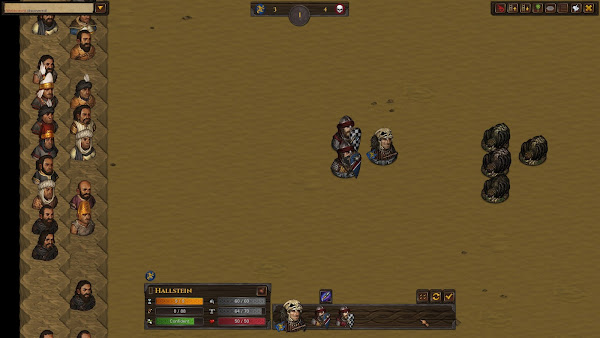
From Battle Brothers: A moderatly equipped band of mercenaries face off with a well equiped legion of ancient undead.
Yes, it was mostly Battle Brothers

Time Spent

I played 49 games for 600 hours in 2021. That's much less time than I've spent on games for the last few years. I guess that makes sense working full time and (slowly) starting to build up my creative career. My PC also broke a little and I think that cut down on some of what I played, and it also forced me to be more intentional with what I play. I also dedicated a lot of my playing time this year to trying out games from the cellar that I hadn't played for one reason or another.

The curve on how long I played games is pretty sharp. I played 150 hours of Battle Brothers and would have played more if the PC hadn't started to fall apart. I feel like I spend a lot of time here writing about I like tactics games but I'm not good at them. Battle Brother's hasn't really changed that for me, but it has been really fun to play.

Everything else topped out at around 50 hours, so overall my top 10 games by time played where:

  1. Battle Brothers - 150 hours
  2. Fire Emblem: Radiant Dawn - 59 hours
  3. Chrono Cross - 47 hours
  4. Trials of Mana (Remake) - 41 hours
  5. Mario Golf: Super Rush - 40 hours
  6. Hyrule Warriors: Age of Calamity - 37 hours
  7. Fire Emblem: Path of Radiance - 36 hours
  8. Trials of Mana (Collection of Mana) - 32 hours
  9. Legend of Zelda: A Link to the Past - 24 hours
  10. Secret of Mana (Collection of Mana) - 22 hours

After that everything flattens out into pretty small chunks.

I really wanted to *finish* a lot of games this year, and I did, but I think I really want to *experience* a lot of games for 2022 and also focus on having as much fun when I'm playing video games as possible.

A photo of my TV with the end screen for Chrono Cross, which is a very fine Fin
I love a good end screen.

Finished Games

I haven't kept track of the games I've finished before, but having spent more time in and around ProtonJon's community I thought it would be interesting to see what I've finished. As I said, I already thing my goal of 2022 isn't to finish as much as it is to play, but it's still interesting to see what I played to the end.

I'm counting finished as reaching the credits at the end of the story, although for practically all of these games there's a lot more to play at that point. More or less in the order I finished them, I played:

  • Hyrule Warriors: Age of Calamity
  • Super Mario 3D World + Bowser's Fury
  • Fire Emblem: Path of Radiance
  • Fire Emblem: Radiant Dawn
  • Trials of Mana (Remake)
  • Trials of Mana (Collection of Mana)
  • Celeste
  • Legend of Zelda: A Link to the Past
  • Super Mario Odyssey
  • Secret of Mana (Collection of Mana)
  • Chrono Cross

The only game I really completed was Bowser's Fury. It was really well designed to make it easy to pick up and play for a few minutes and get a few stars. For the others it was mostly nice to see the end of the story.

In Bowser's Fury, a number of primary coloured cats surround Mario, in a cat suit, and a green Toad.
If you want a game full of cat's Cat World certainly is. Still not sure why they write it Bowser's Fury.

Favourite Games

Every game

I think the games I liked the most were (listed alphabetically):

  • Battle Brothers
  • Hades
  • Super Mario Odyssey
  • XCOM: Chimera Squad
In Battle Brothers, three mercenaries face off against 4 (human sized) spiders in an arena.
When you do a thing right, Battle Brothers feels pretty good.

Things About Games in 2021

As I said in my Games of 2021 post, everything I played was good, but I don't think 2021 really hit the heights of 2020. I spent a lot of time trying to get really deep with a lot of the games I played and I'm not sure it was really worth while. I'm glad I played the games I did this year, but looking back on what where my favourites out of what I played, the list is weird. I only played a few minutes of Hades and Chimera Squad and not that many hours of Odyssey.

Battle Brothers is great and if I can manage the multi-headed hydra of fixing my PC (or more accurately, figuring out *how* I want to fix my PC) I'll be back to it. I think it's a great game where commitment, to characters and attempts, is really well balanced with interesting outcomes. I *like* Dwarf Fortress, but it always feels like it takes too much commitment for the "things went really sideways" fun to kick in. With Battle Brothers I've screwed something up in an interesting way after a few hours, or if things get boring, it's easy to jump out and start again.

I also like that I get a little better every time I play. I keep an eye on the Battle Brothers Reddit and sometimes I feel like I'm not getting enough from the game, or playing it right, but I'm having fun and that's really all that matters.

I'm trying to "Do" more in 2022 and I think that's going to apply to games as well. I've said it a few times, but I'd like to play more games and play more types of games. 2021 was a little bit stayed and I think I forgot to have as much fun as I can.

I recently read a tweet about how you shouldn't consider games you want to play but haven't a "pile of shame" so much as the video game equivalent of a wine cellar, where you're waiting to find the right moment and mood to open something up and I like the reframing. I think I can add that games don't go off after your start them, so there's no worry about putting stuff down and picking them up again later and you may as well have as many open games in your cellar so you can find everything you enjoy.

Saturday, January 01, 2022

Games of December 2021


December was a bit weird, but I feel like trying to expect anything from a month during the pandemic is kinda useless. I ended up mostly focused on Chrono Cross, which was find, but next year I really want to play more and more kinds of games.

My top five games (by play time) for December were:
  1. Chrono Cross - Chrono Cross is fine. I decided to play along with the Axe of the Blood God game club and found I enjoyed the minute to minute play, but was pretty underwhelmed by the story telling and most of the mechanics. As a sequel to one of my favourite games, Chrono Trigger, it feels deeply up its own ass in story telling. Chrono Trigger is able to get by, by not spending a lot of time integrating the plot or the time travel, Chrono Cross spends so much talking about time travel that I was just hoping to find a portal to the end of the game.

    The combat system is also underwhelming, partly because they tried to make it so complicated. At the end of the day most of the really fancy things they implemented didn't really work. I think if they'd leaned into the puzzle colour grid and made that a much more intentional system, rather than frustrated by the random AI. I think if they'd mixed this with Final Fantasy X's combat system, it would have worked a lot better.
    I love how colourful Chrono Cross is and I love the island aesthetic. It would have been nice to really get to enjoy the world a little bit more with less of the story sitting on top. A lot of the time it feels like they made a game and only later tried to tie it to Chrono Trigger, and I'd love to play that version that's a little more laid back and embracing the weirdness.

  2. Secret of Mana (Collection of Mana) - Had a little bit of Secret of Mana left, so started the month by finishing that up. I ended up running out of steam fighting the final boss and ended up with 1 MP left, so had to sit there and wait for the game to knock me out. I ended up doing my old fashioned magic grinding to end the game off. Stupid as it seems standing in an inn and casting magic on myself for a few hours is still kinda fun.


  3. Super Mario Odyssey - Really didn't pick this up much, but played some Balloon World and really enjoyed it. Odyssey just has a great feeling for movement.


  4. Legend of Zelda: A Link to the Past - Went back into this a bit, but mostly I'm planning to spend more time in 2022 learning the game and getting good at it.


  5. Celeste - Played a few minutes just to get the feeling.


Here's my total play time chart for December:


And here's a chart of how much I've played over the month:


Friday, December 31, 2021

Blog Post: Books Read in 2021

Kindness. Bravery. Summer. Growth. Community.


Blog Post: New Year's Resolutions 2022

I usually start off by being a little reticent to make resolutions since I want to pay attention to my habits and decisions each day.  However, I'm finding maybe just by the nature of a break in December that this is the easiest time to breath and reset. 


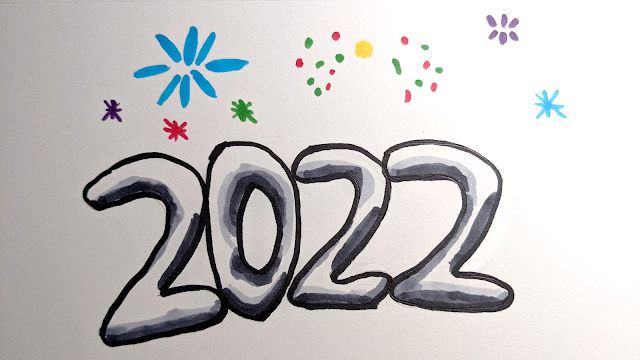
A (poor) sketch of 2022 in bubble text with fire works above
I realized all my old year end pictures break after a while. So I made my own.


As I said in my reflections on last year's resolutions, I've been struggling a bit and and feel like some of my habits aren't leaving me the way I'd like to be.


So here's what I want to remember and think about during 2022:


  1. Move - I've discovered that while I was never super fit, I've become profoundly weak this last year. So it's time to move again and get back to a place where I feel comfortable moving and being in my body.
  2. Read more non-fiction - I'm really happy with how much I read in 2021 and I'd like to keep that up. The one place I struggled a bit was making the time to sit down with non-fiction and read intentionally. So in 2022, I want to prioritize that reading.
  3. Do - I've been keeping a journal consistently since the beginning of the pandemic and one of the regular themes there is "Do".  Last year I had a resolution to "Do More" but this year my goal is just to "Do".
  4. Learn more about food - in the last little bit I've been thinking a lot about how to find the best food, grow the best food, enjoy food more and cook better.


Thursday, December 30, 2021

Blog Post: Games of 2021

It's the future and some how I'm still sitting here playing Nintendo games. I only played 4 games which were released this year, and three of them were by Nintendo. 2021 has been a bit of a weird year in terms of what I wanted to play, and I really haven't felt that compelled by most of the other games released in 2021.
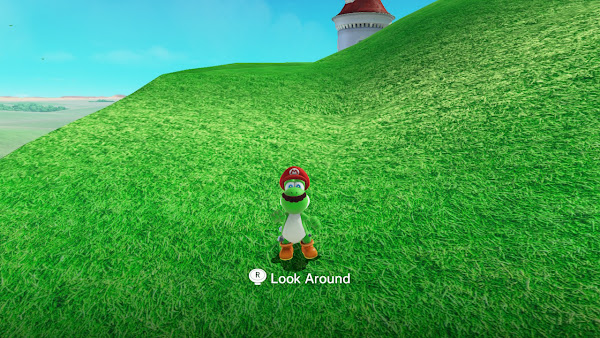
Everything I played this year was "good," they're all solid games you might enjoy, but none of them have really impacted me that much.

The Good


New Pokémon Snap

New Pokemon Snap - Title Screen


I don't have a huge nostalgia for the original Pokémon Snap. I enjoyed the new one, it's certainly pretty. I *may* have not figured how how to play it to advance properly, so it felt a little flat to me. Overall, I did enjoy the safari model of travelling through environments and seeing "genuine" Pokémon interactions.

Mini Motorway

Mini Motorways - Title Screen


I liked Mini Metro, where you have to plan out routes for a metro system and try to keep up with demand as long as you can. Mini Motorways is a nice follow up, it's prettier and the way you eventually fail feels a lot more manageable. It really runs up against the part of me that loves city building and so after a little bit of playing I'm kinda frustrated that some idiot built their house right *there*.
Bowser's Fury - Title Screen


I only touched the 3D World remake. It's still pretty good, but it really doesn't compare to Super Mario Odyssey. Bowser's Fury was good, it has a real lightness of movement and interesting level design. I also like the idea of Nintendo turning out light weight, smaller games more regularly, so if I could play a new Bowser's Fury sized game every year I'd be delighted. Otherwise Mario games are pretty good if you like Mario Games and Bowser's Fury is a good Mario Game. 

Mario Golf: Super Rush

Mario Golf: Super Rush - Title Screen


I think I've said it a ton, but Mario Golf: Toadstool Tour on the Gamecube is one of my favourite games. I spent a lot of time playing it dreaming of how awesome it would be if it was built out to be a fuller, flashier game. Super Rush is *not* the game I dreamed of,  but it is pretty good. It's a well built golf game with fun courses. If that sounds like your jam then you'll probably like it. It has a single player "RPG" mode which I found to be underwhelming and the online modes are okay.

I appreciate the DLC support they've given the game. The big drawback to the game is they introduced a their speed golf mechanic where you sprint after your ball to hit it again as fast as possible. Even when you're not playing that mode, it still dominates the design in a way that's not bad, but a little awkward.


Administrativa: Feedburner Feed Broken

 Just a quick note that Feedburner seems to have stopped working with the blog, so I've turned it off. Possibly "for now" or possibly "for ever". You will need to readjust your RSS reader (assuming you have such a device).


You can find the feed for all posts at the bottom of every page, or through this link.

Blog Post: Books Read in 2021

Anxiety. Whales. Joy.


Friday, December 24, 2021

Blog Post: Looking Back at 2021's New Year Resolutions

I'm not sure how to think about 2021. I started a new position as a Learning Technology Specialist and that's forced me to think about my identity as an academic and a creator. The pandemic has also gone on and on and while that's profoundly wearing, it has also offered me a lot to be thankful for. My life is good and getting better, but it's not the easiest time.


Naively, I wrote some resolutions last year and I have a tradition of checking in on them the following year, so I guess it's time to do that:


  1. Relax - Uh... fuck. The entirety of the year didn't lead towards relaxing. I certainly struggled both with the pandemic and personally to really get to a place I felt good. I think I'm starting to build some resilience in my mind now, but it's been a journey to get here.
  2. Go on More Adventures - Uh... double fuck. Truth be told I did choose not to adventure as much as I could have, but still this year was not conducive to seeing new things.
  3. Read More - Ok, something positive! I read a lot more and I read more broadly (certainly a lot more mystery). After several years of trying to read more I finally feel like I've shifted the reading bar in my head.
  4. Write More - I didn't do nearly as much of this as I wanted to, but I did write more than I have in the past. I think I've found a direction and a way I want to go forward with my rather eclectic creative work, so I'm happy. I'm also more focused on the blog than I have been in a long time and that's making me feel good. The future feels bright.
  5. Do More - I certainly found my way towards getting things done by small steps. As I said, I've found a way forward, in just prioritizing what I want to have done. I think I can still do better here at finding ways to do things, but *generally* I'm happy.

I'll be honest, 2021 kicked me in the ass in a lot of ways. I feel disconnected from myself in the past and I find it a bit hard to keep a thread constant through my life for more than a few months. There are touch-points of happiness and I think, if nothing else coming out of the darkness I felt a few months ago, I'm much readier to take an active role in my life going forward.

A sunrise panorama, showing a deep orange and purple glow over an ally.
The best light in what's been my 2020 view.


A Commitment to Creativity and Genuine Human Expression

 My work requires me to some extent to deal with artificial intelligence and as a person who spent years doing research in AI (or knowledge-...